


Trello Time Tracking
See what each Trello project really costs. Keep organizing work in Trello and track time, cost, billable value, and margin in Rabbiit — without asking the team to fill out spreadsheets later.
 Install Chrome extension
 You need a Rabbiit account. Create account
Your team logs time while working
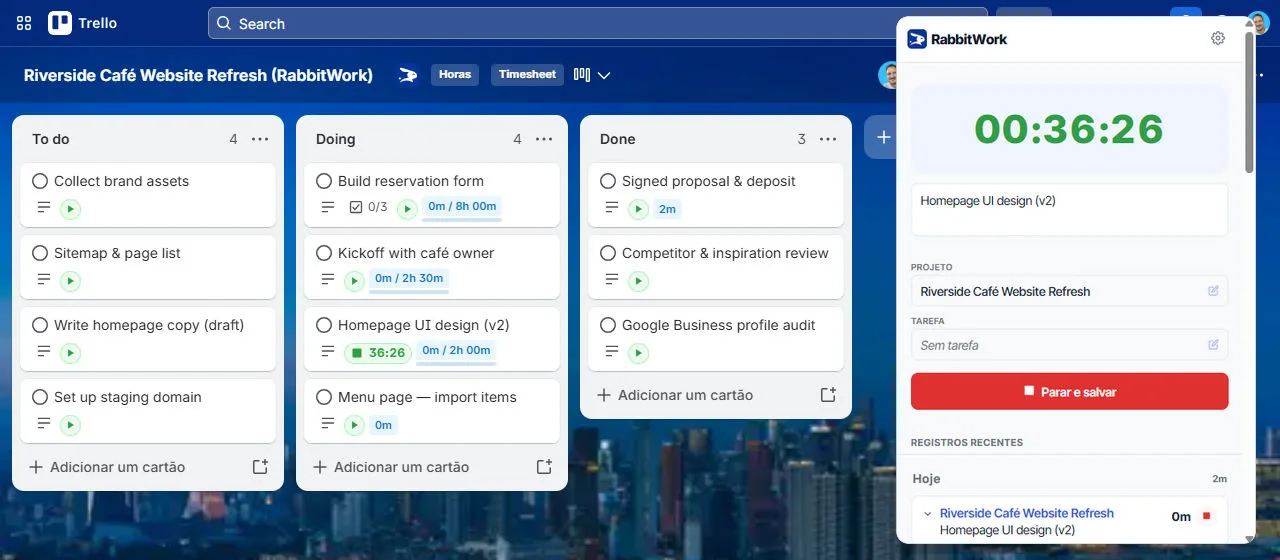
The RabbitWork extension puts a play button on every Trello card. People start and stop the timer in the context of the task, without opening another tool.
Logging time at the right moment means fewer forgotten entries and fewer end-of-day guesses.
Avoid estimate overruns
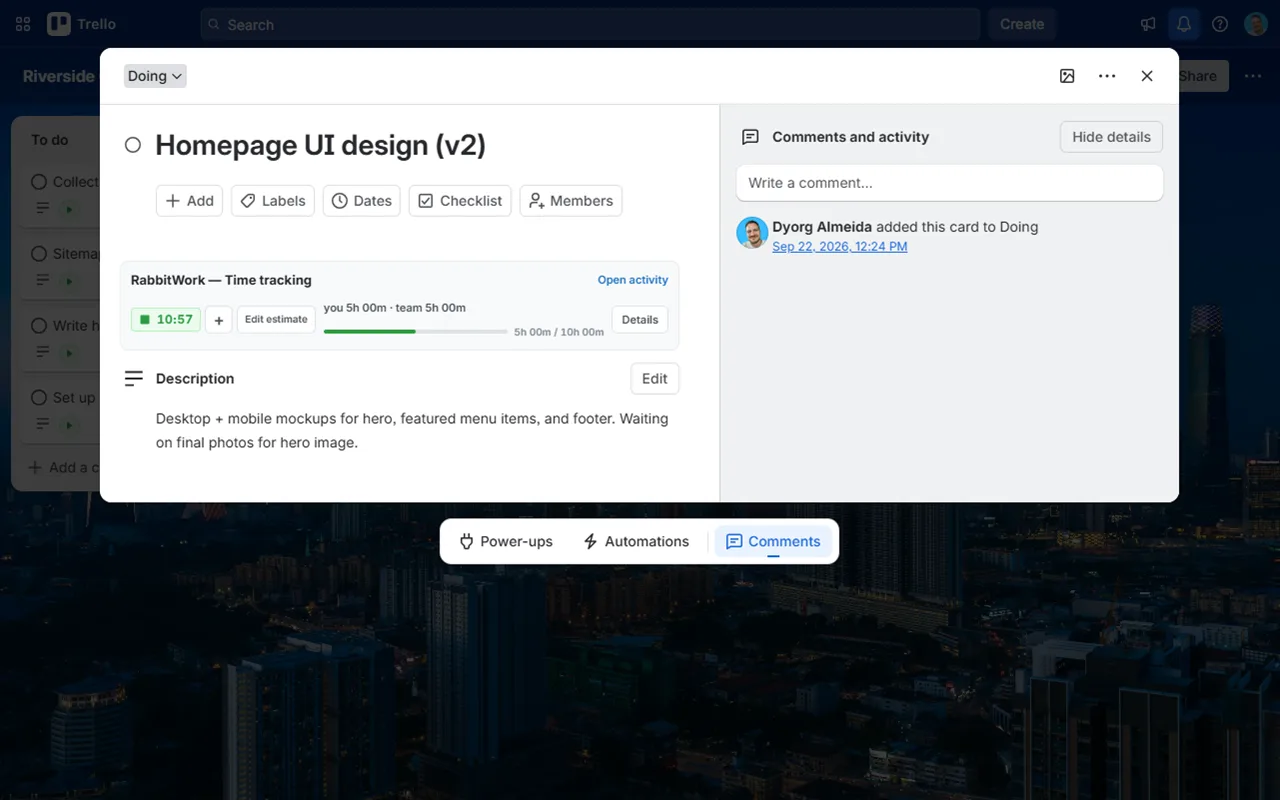
Opening the card shows logged time, the team total, and how much of the estimate is already used. You can compare planned and actual hours before the project runs over budget.
Turn work into project information
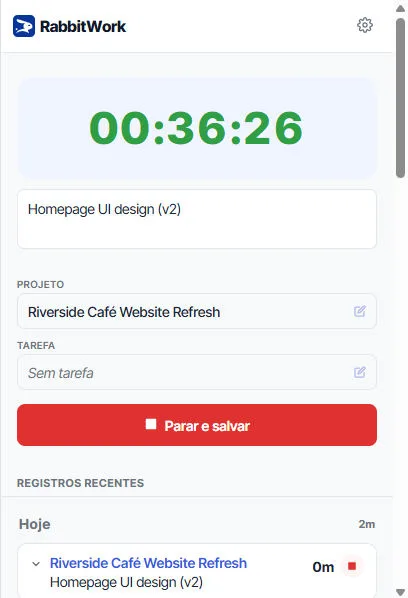
When the time is saved, Rabbiit receives the entry with the project and card description. The team stays in Trello; managers get timesheets, approvals, rates, cost, budget, and margin.
The steps are in How to use the extension on Trello.
See the cost and value of board hours
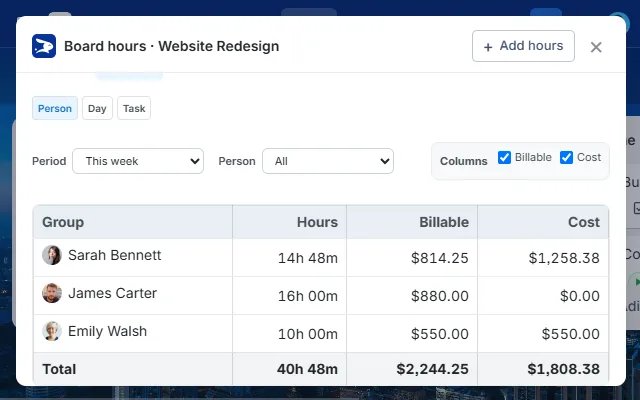
Hours opens that board's report by person, day, or task, with billable value and cost. Use those entries in Rabbiit for the complete project view.
Why use Rabbiit if the team already uses Trello?
Trello organizes cards, lists, and assignees. Rabbiit adds the time and financial layer: timesheets, approvals, billable rates, cost, budget, and margin.
Trello organizes the work. Rabbiit helps protect the project.
Card hours show where the project's time, cost, and margin are going.
See where time is going
See where time is going, by person, day, task, and project.
Close the week with approval
The team submits hours and the manager approves them before month-end.
Calculate billable value
Calculate the billable value of every hour logged on a card.
Know what has been billed
Mark what has been billed and export it to the company's finance tool.
Understand the real cost
Turn worked hours into the team's actual project cost.
Track budget consumption
Track how much of the project budget has already been used.
Avoid estimate overruns
Compare planned and actual hours before the project runs over.
Help center links
How to install the extension and use it on Trello.
FAQ
Why use Rabbiit if the team already uses Trello?
Trello organizes cards, lists, and assignees. Rabbiit adds what Trello does not show: hours by project, approval, billable value, cost, budget, and margin.
Does the team have to log time in two places?
No. People start and stop the timer on the Trello card. When they save, the entry goes to Rabbiit with the project and task description.
What does the extension add to Trello?
The extension adds the play button, logged time, and estimate to cards. Your team logs time in the context of the task, without switching tools.
Can I tell when a project is using more hours than planned?
Yes. The card shows logged time and estimate progress. In Rabbiit, you track the project's budget and margin based on those hours.
Does Rabbiit replace Trello?
No. Lists, cards, and checklists stay in Trello. Rabbiit receives the hours and adds the project management layer.
Is this attendance tracking or monitoring?
No. It is project time tracking. Rabbiit does not take screenshots or monitor what people do on their computers.
Rabbiit
Try Rabbiit free
14 days on the full plan, no credit card. The permanent Free plan covers 2 users.
Start for free